
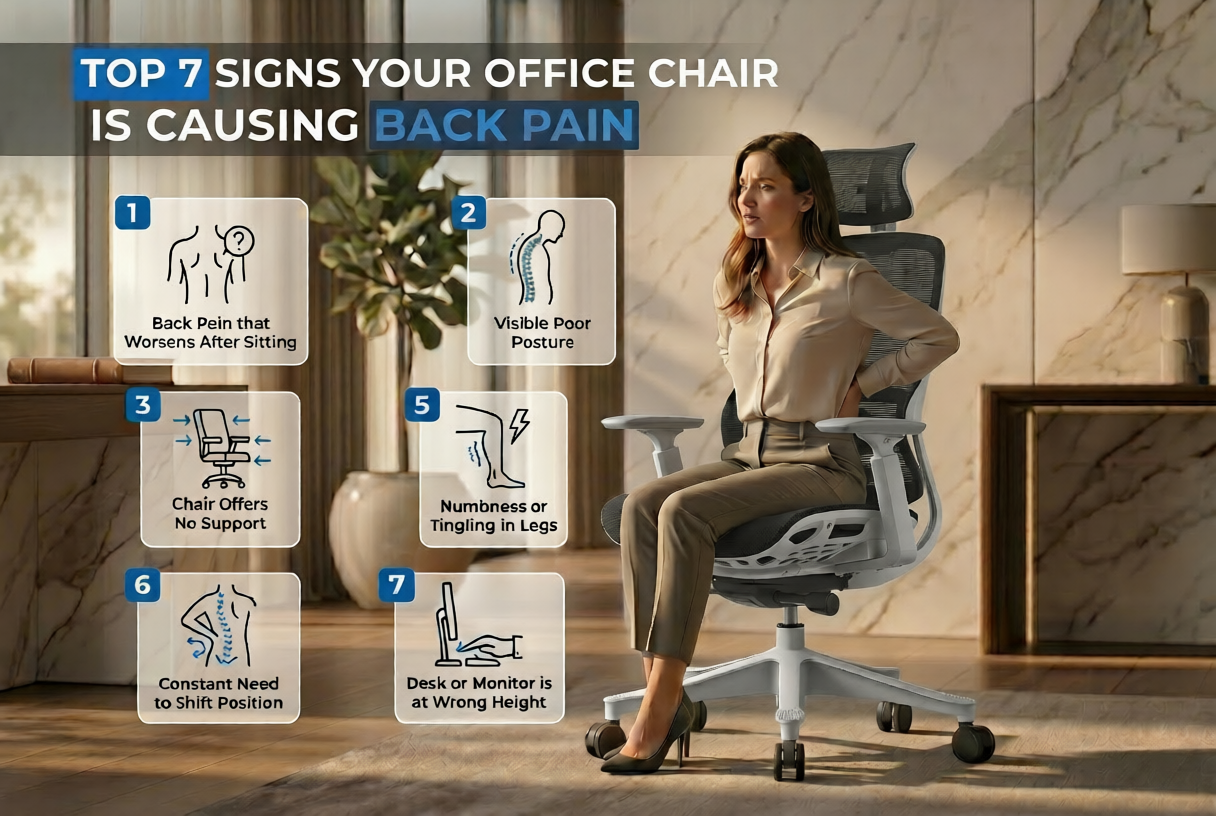
Most people blame stress, age, or too little exercise when their back starts hurting. Rarely do they look down at the chair they have been sitting in for eight hours. But a 2025 survey of more than 1,000 UK office workers found that over half reported back pain linked directly to their workstation setup, and a striking 27% said their employer had never once carried out a workstation risk assessment. (Source: Fellowes UK Office Worker Survey, Pressat, July 2025)
The chair tends to get ignored because the pain it causes is slow. It does not arrive on your first day in a bad seat. It creeps in across weeks, disguised as general tiredness or the kind of stiffness you assume is just part of sitting at a desk. By the time people realise something is wrong, habits have formed, and the discomfort has become daily.
These seven signs are worth knowing. They are the patterns that show up most consistently when a chair is the underlying cause.
1. Lower back pain that starts while you are sitting
This is the most obvious one, and yet it still catches people off guard. A nagging ache in the lumbar region while you are at your desk or within twenty minutes of standing up is not something to stretch away and forget. It usually means the chair has no proper support for the inward curve of your lower back. Without that support, the muscles around your spine are doing constant, low-grade work to hold your posture together. They tire, tighten, and start to hurt.
The NHS notes that prolonged static sitting is one of the most common triggers for lower back pain in working adults. The chair is the primary variable.
2. You cannot sit still for more than an hour
Shuffling forward to the edge of the seat, crossing your legs, leaning to one side, propping yourself up on an armrest. If this is a regular rotation rather than a conscious choice, your chair is not distributing your weight evenly. A seat pan that is too hard, too deep, or poorly shaped pushes the body to find relief through movement. Research published on PubMed reviewing chair interventions in office workers found that chairs providing inadequate support consistently increased postural shifting and reported discomfort compared to properly fitted ergonomic alternatives.
3. You are stiff for several minutes after getting up
A brief moment of stiffness when you stand is normal. Walking slowly to the kitchen while your lower back gradually unlocks is not. That extended stiffness reflects what happens when the spinal discs have been compressed in a fixed position for too long, and the hip flexors have shortened. The HSE’s guidance on display screen equipment specifically recommends regular breaks and postural changes to prevent exactly this kind of sustained compression. If your chair makes you want to avoid getting up because of the effort involved, that is a warning sign on its own.
4. Your neck and shoulders ache before lunch
The spine works as a chain. When the lower back slumps forward because the chair offers no lumbar support, the upper back rounds to compensate, the shoulders roll inward, and the head begins to drift forward toward the screen. For every inch that the head moves forward from a neutral position, the load on the cervical spine increases considerably. The result is tightness across the trapezius muscles, tension headaches, and neck ache that arrives well before the end of the working day. This is not a screen problem or a pillow problem. It begins in the seat.
5. Your legs go numb or tingle
Pins and needles or numbness in the thighs and lower legs while seated usually points to a seat height or depth issue. A seat that is too high cuts off circulation at the back of the knee. A seat that is too deep presses hard into the underside of the thighs, restricting blood flow. Either scenario can also place pressure on the sciatic nerve, which originates in the lower back and runs the full length of the leg. Sciatica caused or aggravated by sustained poor sitting posture is well-documented. If this is happening to you regularly, the chair geometry needs to be looked at before the nerve irritation becomes a long-term problem.
6. Your back feels noticeably better on days off
This pattern is one of the clearest diagnostic tools available. If your back improves meaningfully over a weekend or a holiday and worsens again by Tuesday, the chair is almost certainly contributing. The body is telling you what happens when it is not subjected to that particular seating position for hours each day.
UK musculoskeletal disorder statistics from the Health and Safety Executive recorded 511,000 workers in Great Britain suffering from work-related MSDs in 2024/25. A significant portion of those cases involves sedentary office roles. The work-rest pattern of symptom change is one of the key markers used to identify occupational cause.
7. Your posture has shifted without you choosing it
Try this: take a photo of yourself sitting at your desk during a normal moment, not when you are consciously trying to sit up straight. If your shoulders are rolled forward, your chin is ahead of your chest, your lower back is flat against the chair rather than slightly arched, or you are sitting on one hip, your chair has shaped those habits over time. Posture adapts to the environment it spends the most time in.
A 2026 analysis of home office setups found that workers using non-ergonomic seating, including dining chairs and sofas, reported higher rates of lower back pain compared to those using properly designed ergonomic chairs over six-month periods. The chair is not a passive object. It actively shapes how you hold yourself. (Source: Houseloo Ergonomic Assessment Report, 2026)
If You Recognise These Signs, Here Is Where to Start
Before spending money on anything, check whether your current chair is giving you everything it should. Run through this quickly:
Quick self-check:
- Can you adjust the seat height so your feet rest flat on the floor with your knees at roughly a right angle? If not, the chair fails the basic HSE DSE workstation standard.
- Does the lumbar support sit in the curve of your lower back? A support positioned too high does almost nothing.
- Can the seat back tilt? A fixed backrest forces a fixed posture, which is exactly what causes the fatigue described above.
- Is the seat depth right for your leg length? If you cannot sit fully back in the chair without the edge pressing into the backs of your knees, the seat is too deep.
- Are you taking breaks? The HSE recommends short, frequent breaks from sitting rather than longer, less frequent ones. No chair eliminates the need to move.
When Adjustments Are Not Enough
Some chairs simply cannot be fixed by adjustment because they were never designed with the right features in the first place. No adjustable lumbar support means no lumbar support. A fixed back height means one size that fits almost nobody well. If your chair is missing the basics, the body compensates, and that compensation causes the pain.
The research case for proper ergonomic seating is well established. A systematic review in PubMed examining chair interventions in office workers found consistent reductions in lower back pain, discomfort, and trunk muscle fatigue when workers were moved from standard to ergonomically designed chairs. The 2026 home office data puts the risk reduction for MSDs specifically.
If you are experiencing three or more signs from the list above on a regular basis, the chair itself needs replacing. Have a look at our range of ergonomic office chairs that are built around adjustable lumbar support, Even Sit pressure distribution, and tested for all-day use under UK UKAC-5459 standards.
Key Takeaways
- Lower back pain during or after sitting, constant repositioning, and morning stiffness are the three earliest signs to watch for
- Neck and shoulder tension by midday is usually a downstream effect of poor lumbar support, not a separate problem
- Leg numbness points to seat height or depth geometry affecting circulation or sciatic nerve pressure
- Back pain that improves clearly over weekends is strong evidence that your chair is the primary occupational cause
- Posture that has visibly changed without you choosing it shows the chair has been shaping your body mechanics for some time
- Ergonomic chairs with the right adjustability reduce musculoskeletal disorder risk compared to standard seating
Frequently Asked Questions
Can an office chair actually cause back pain, or does it just make existing pain worse?
Both happen. A chair that holds the spine in a sustained unnatural position creates pain in people who had none, and significantly worsens it in people who already experience some discomfort. The mechanism is the same in both cases: sustained muscular effort to compensate for what the chair is not doing.
How quickly can a bad chair cause back pain?
Faster than most people expect. Research tracking UK remote workers during the shift to home working found measurable increases in neck, shoulder, and back pain within two weeks for people who moved to non-ergonomic seating. For people already using a poor chair in the office, the accumulation tends to be slower but reaches the same outcome.
Can I fix the problem by adjusting my posture rather than replacing the chair?
Consciously correcting your posture helps, but it is not a substitute for a chair that supports that posture passively. Maintaining good posture through effort is tiring and nobody sustains it across a full working day. The chair should make good posture the default, not a project.
Should I see a doctor or physio about desk-related back pain?
If the pain is severe, has been present for more than a few weeks, radiates down the leg, or is accompanied by numbness and weakness, see a GP or physiotherapist. The NHS recommends this for persistent back pain. For discomfort that varies clearly with your working week, sorting the chair and workstation setup is the right starting point alongside medical advice.
What features actually matter in an ergonomic chair for back pain?
Adjustable lumbar support that moves in depth and height, gas-lift seat height adjustment, back tilt, and seat depth adjustment are the four that address the specific causes listed in this article. Armrests help with neck and shoulder load. Even Sit technology, as used in JH Chairs, distributes pressure more evenly across the seat pan, which reduces the urge to shift position that many people mistake for restlessness.
Conclusion
Back pain from your office chair is not inevitable, and it is not something to manage around. It is a direct response to a seating setup that is not working for your body. The seven signs in this article are all solvable problems once you know what is causing them. If more than two or three of these signs sound familiar, your chair deserves a proper look. Start with the self-check above. If the chair cannot meet those basics, it is worth replacing before the pain becomes something a physio needs to fix. Browse ergonomic office chairs to find seating built around the features that genuinely make a difference.